What’s inside
A script mined from real reviews
Claude reads the live Amazon page and quotes top customer reviews verbatim. The script comes from what buyers actually say, not generic ad copy.
The Pixar look, locked
A locked style description keeps every clip in the same polished 3D feature-film look: big glossy eyes, warm light, instantly readable emotion.
Your product, kept real
The product’s own photo rides along as a reference on every clip it appears in - exact shape, colors, and label, rendered inside the animated world.
Step-by-step guide
Step 1
Create your free Maxfusion account
Sign up to Maxfusion for free, connect the MCP, and authorize the connection.
Sign up to Maxfusion
Step 2
Download the skill file
Grab the skill file - you’ll need a Maxfusion account to download it. This is what you install into Claude in the next step.
Download skill
Step 3
Install it in Claude
Upload the skill file via Claude’s Settings, then Customize, then Skills - a dedicated Skills option in the sidebar, not nested under Capabilities.
Step 4
Paste the link and pick your format
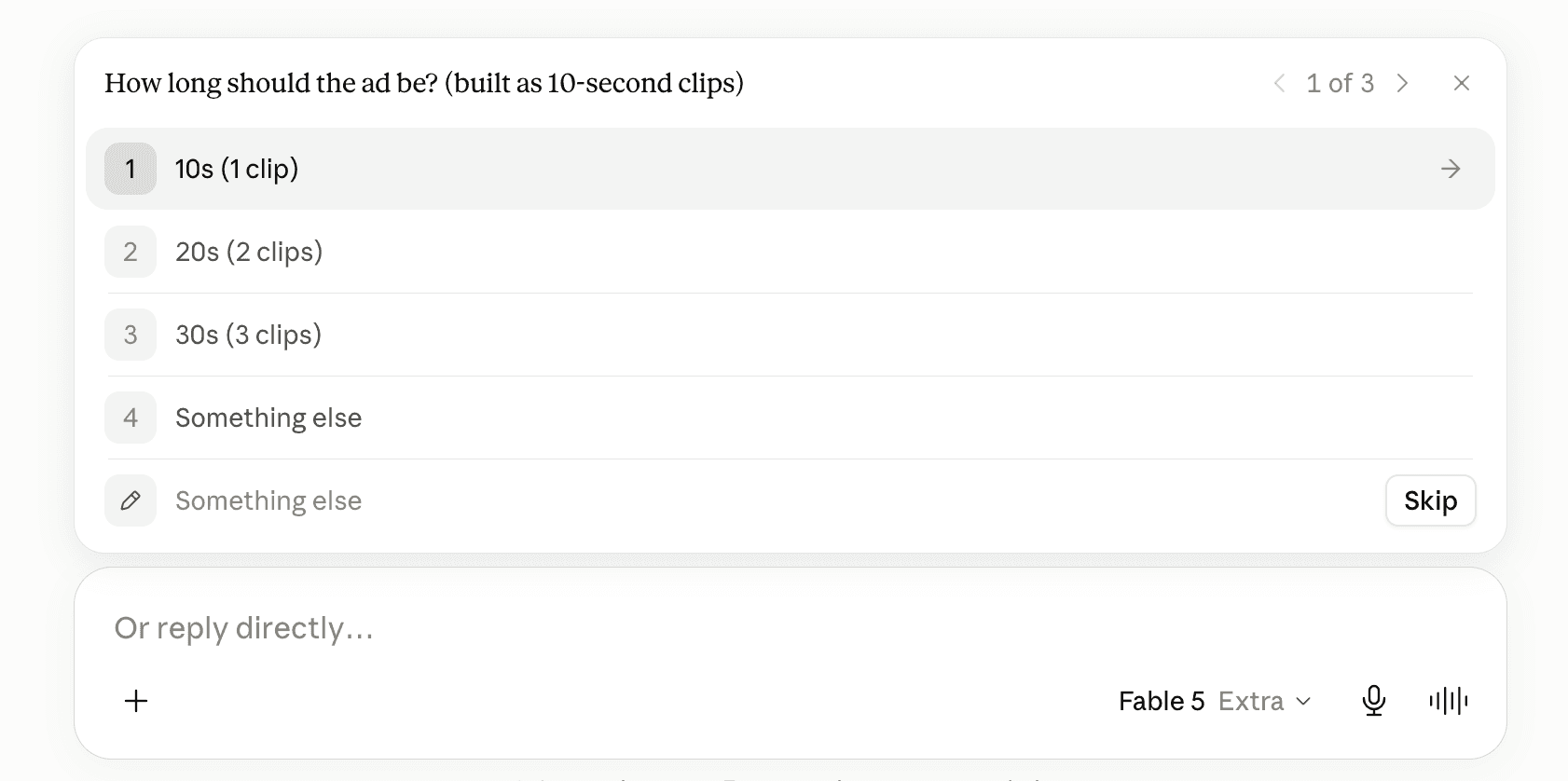
Any Amazon product page works. Paste the link and pick your format: ad length in 10-second steps, aspect ratio, and chained clips for one continuous scene or independent ones that reset each clip.

Step 5
Watch Claude read the listing
Claude opens the page in your browser like a person would and pulls the title, bullets, rating, top customer reviews, and product photos - the raw material for the script. If Amazon throws a robot check, you tap through it and Claude continues.

Step 6
Add your own materials - or none
Before writing anything, the skill asks whether you want to add extra images, a concept, or an angle. Say ‘I have nothing’ and it works from the listing alone. Anything you add gets folded into the script, and your product images can be used as generation references.
Step 7
Approve the script
The full script, clip by clip: every spoken line with its speaker, the word counts, exactly where your product appears. Nothing generates until you give an explicit yes.

Step 8
Get your clips
Each 10-second clip renders on Google Omni Flash at 720p, your product photo attached as a reference, characters speaking their lines in-clip. Clips land straight in chat - ask for the stitched cut when you want one file.
From Amazon link to Pixar-style ad.
No footage, no actors, no editing timeline. One link, a script you approve, and finished clips in chat.
Sign up to Maxfusion
Best practices
Pick a listing with real reviews - the script is mined from actual customer language, and a thin page makes a generic ad.
Plan length by dialogue: about 20-25 spoken words fit one 10-second clip. Fewer words always land better.
Chain clips when the ad is one continuous scene; keep them independent when every beat is its own scene.
Every line belongs to a character on screen - think dialogue, not narration.
When you edit the script, keep each clip to one location and at most two shots - simple blocking is what keeps the animation steady.

© 2026 Maxfusion AI, all rights reserved